


Watch Sync App - BT Notifier
4.1622.00 Reviews
App Specs
- Version
- Varies with Device
- Updated On
- License
- Free
- Downloads
- 10,000,000+
- Developer
- AceTools Team
- Categories
- Communication
- Platform
- Android
Screenshots
 Analysis by AppCompare
I judge a smartwatch notification app by a simple question: does it help me check my phone less, without making me miss the alerts I care about? Watch Sync App - BT Notifier is built around that everyday task. It’s a free communication app from AceTools Team, and its main appeal is routing phone notifications to a smartwatch so I can glance at my wrist instead of reaching for my phone each time it buzzes.
That sounds modest, but it can make a real difference when your phone is tucked away, your hands are busy, or checking a screen would interrupt what you’re doing. The useful part is not sending every alert to the watch; it’s choosing which ones deserve your attention there. I’d treat this app as a way to make notifications more deliberate, rather than as a replacement for the phone or the watch’s own features.
What notification syncing changes
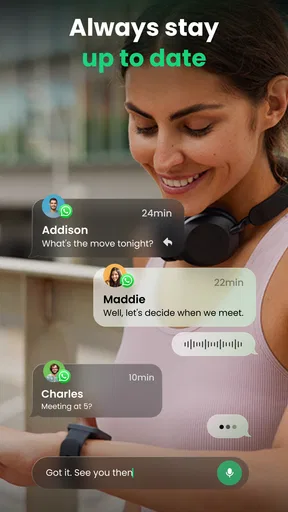
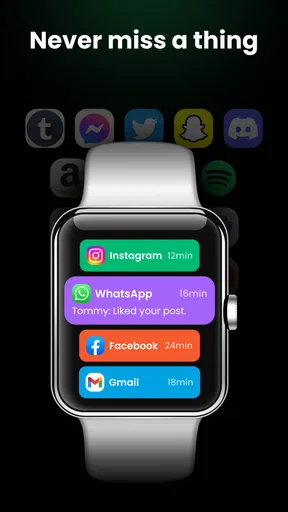
The core benefit is having phone alerts appear on your watch, where a quick glance can tell you whether something needs attention. A message during a conversation, a call while you’re carrying groceries, or an update while you’re walking can be easier to notice without pulling out your phone. That small change is most valuable when it saves an interruption, not when it simply moves every interruption to your wrist.
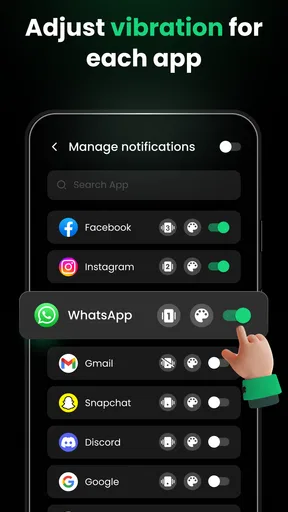
It also changes how I think about notification settings. If I allow only the alerts I’m likely to act on, the watch becomes a useful filter; if I mirror everything, it can become a smaller, more persistent version of the phone’s notification stream. I recommend starting with the essentials, living with that selection for a day, and then adding or removing apps based on what you actually missed or found distracting.
How I’d make it useful day to day
For a practical setup, I’d first connect the watch and phone, then check that notifications are arriving before relying on them for anything time-sensitive. I’d keep calls and important conversations in the mix, while being more selective with apps that send frequent updates. This is a better test than enabling everything at once: it shows whether the connection and alert choices fit your routine without turning the watch into a constant tap on the wrist.
For example, imagine you’re cooking dinner with your phone charging in another room. A wrist notification can let you see that a message came in without stopping to find the phone. You can decide whether to pause and respond or finish what you’re doing. The app’s value in that moment is convenience and awareness; it doesn’t make a watch screen ideal for reading long messages or handling every task that follows an alert.
I’d also review the notification mix when my routine changes. A selection that works during a quiet workday may be irritating on a weekend, while alerts that matter when I’m away from my desk may feel redundant when the phone is already in hand. Adjusting the choices to the situation is more useful than assuming one permanent setup suits every day.
Worth Reading Before You Choose

Flipboard Shows What News Apps Must Do Beyond the Feed

Switching to Android Auto Means Rethinking Your Driving Routine

Google Calendar Makes a Crowded Week Easier to Manage

Ludo King Makes the Most of the Minutes Between Plans

Baby Panda World Brings Quick Play to Modern Phones, but Its Game Library Feels Busy

ESPN’s Live Game View Makes Following Close Games Easier
Where it sits among the alternatives
Many smartwatches already offer some form of phone notification mirroring through their companion software or built-in operating-system settings. If that native setup already connects reliably and gives you enough control, I’d stick with it rather than adding another layer. Watch Sync App is more appealing when you want a straightforward route for bringing phone alerts to a watch and prefer an app focused on that connection.
The trade-off is that a separate syncing app adds another point to check if notifications stop appearing. The phone, watch, Bluetooth connection, and notification access all have to cooperate, so a missed alert isn’t automatically proof that the app itself failed. I’d troubleshoot in order: confirm the devices are connected, check the app’s notification choices, and then review the phone’s notification settings for the affected app. That sequence helps distinguish a sync problem from an alert that was never allowed through.
Who should consider it—and who may not need it
I can see this being useful for someone with a compatible smartwatch who wants to notice selected phone alerts without constantly picking up the phone. It may suit people who commute, move between tasks, or keep their phone out of reach for stretches. The app is free to download, though it offers in-app purchases priced from $9.99 to $49.99 per item, so I’d look at what any optional purchase actually adds before spending money.
If you rarely wear your watch, keep your phone beside you, or already get the alerts you want through the watch maker’s own companion app, there may be little reason to add another tool. It’s also not the best choice for someone who wants a notification-free watch: the benefit depends on sending at least some alerts to the wrist, and careful selection matters if you want that convenience without more interruptions.
Getting Started with Watch Sync
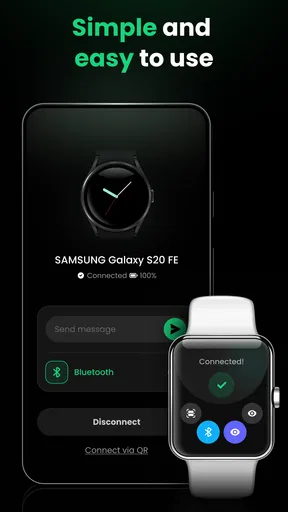
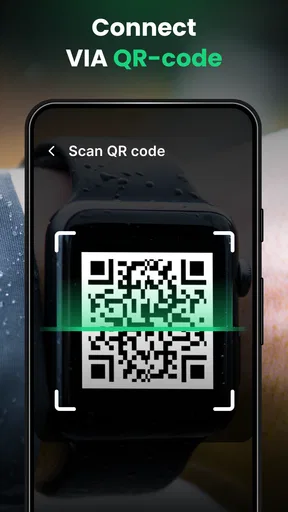
First things first, setting up the Watch Sync App - BT Notifier is a breeze. You just need to download it from your app store, and you’re good to go. It’s available for both Android and iOS, which is super convenient. Once installed, the app guides you step by step through the connection process. It’s as simple as connecting your smartwatch via Bluetooth and voila! Your devices are now best friends.
User Interface and Experience
The user interface is pretty straightforward. It’s not cluttered, which I appreciate because nobody likes getting lost in a labyrinth of options. Once you open the app, you’re greeted with a clean dashboard that shows your connection status, notifications, and a few settings. The layout is intuitive, so even if you’re not a tech-savvy person, you’ll find your way around easily.
I found the notification settings particularly useful. You can decide what alerts pop up on your smartwatch. Whether it’s calls, messages, or app notifications, you can tailor it to your liking. This way, you’re not bombarded with unnecessary pings every few minutes.
Performance and Reliability
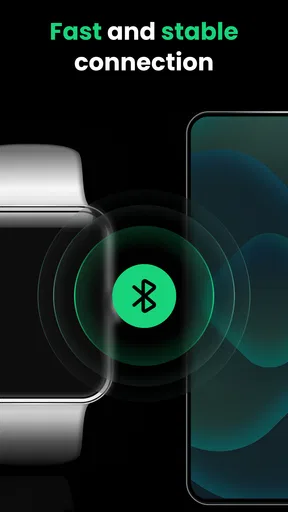
In terms of performance, the app didn’t disappoint. The connection between my devices was stable and consistent. I didn’t experience any major lags or disconnections, which is a huge plus. Imagine missing out on an important call because your app decided to take a nap – not cool, right?
Battery consumption was minimal. I didn’t notice any significant drain, which means you can keep your devices connected without worrying about them dying on you halfway through the day.
Compatibility and Features
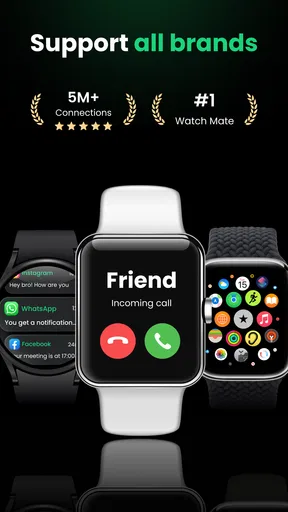
The app supports a wide range of smartwatches, so you don’t have to worry about compatibility issues. Whether you’re using a top-of-the-line smartwatch or a more budget-friendly one, chances are the Watch Sync App - BT Notifier has got you covered.
One feature that stood out to me is the ability to customize watch faces directly from the app. It’s a cool way to personalize your watch and make it truly yours. Plus, the app allows you to control your phone’s camera, which is perfect for taking those group selfies without the awkward arm stretch.
Final Thoughts
All in all, the Watch Sync App - BT Notifier does what it promises. It’s a reliable partner for keeping your smartwatch and smartphone in sync. The user-friendly interface, stable performance, and thoughtful features make it a must-have for anyone who loves to stay connected on the go.
If you’re on the lookout for a seamless way to manage your notifications and keep your gadgets in sync, give this app a shot. You won’t regret it!
The app has an Everyone age rating, which makes it broadly suitable in terms of content, though parents should still consider how notification previews might display personal messages on a shared or visible watch screen. That privacy detail is easy to overlook: a watch is often more exposed to people nearby than a phone held close. If you receive sensitive alerts, I’d keep those out of the watch’s notification selection or use whatever preview controls your devices provide.
Another sensible habit is to test the setup with ordinary, low-stakes notifications before depending on it for a call you cannot miss. Check that the watch is connected, then send yourself a message or wait for a routine alert and confirm it appears as expected. If only some notifications arrive, narrow down the issue app by app rather than repeatedly pairing the devices; this saves time and avoids disrupting a connection that may already be working.
Watch Sync App has an average rating of 4.2 from around 42 thousand ratings, with roughly 574 written reviews and over 10 million installs. Those figures suggest that many people have tried it, but I would still make the decision based on the watch and phone setup you actually use. Compatibility can be more important than popularity: if your watch already works smoothly with its intended companion app, a second notification route may add complexity rather than value.
My overall advice is to use it selectively. Start with the alerts that genuinely help when your phone is out of reach, keep private or low-priority notifications off the wrist, and compare the result with your watch’s native setup. For someone who wants a simple way to check chosen phone notifications on a smartwatch, that focused approach makes the app worth considering; for someone already well served by built-in syncing, staying with the existing arrangement is likely the cleaner choice.
Pros
- Seamless Bluetooth pairing process.
- Real-time notifications on your wrist.
- User-friendly interface design.
- Compatible with multiple smartwatch brands.
- Lightweight and fast performance.
Cons
- Requires constant Bluetooth connection.
- Limited customization options.
- Frequent ads in the free version.
- Drains battery faster than expected.
- Some notifications are delayed.
FAQs for Watch Sync App - BT Notifier
What is the Watch Sync App - BT Notifier used for?
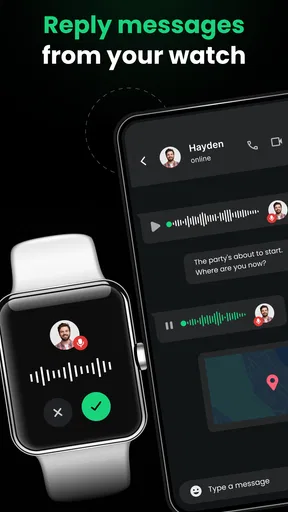
The Watch Sync App - BT Notifier is designed to enhance connectivity between your smartphone and smartwatch. It allows you to receive notifications, manage calls, and access various features directly on your wearable device. This application helps streamline communication, ensuring you never miss an important alert, even if your phone is out of reach.
Is the Watch Sync App - BT Notifier compatible with all smartwatches?
Compatibility depends on the specific models of both your smartphone and smartwatch. The app generally supports a wide range of devices, including popular brands like Samsung, Apple, and Wear OS watches. It’s recommended to check the app’s compatibility list or your smartwatch’s specifications before downloading to ensure seamless functionality.
How do I set up the Watch Sync App - BT Notifier?
Setting up the app is straightforward. After downloading it from the App Store or Google Play, you need to pair your smartwatch with your smartphone via Bluetooth. Follow the on-screen instructions to enable notifications and customize settings according to your preferences. Ensure both devices have Bluetooth activated for optimal performance.
Are there any subscription fees or in-app purchases for the Watch Sync App - BT Notifier?
The app typically offers a free version with basic features. However, there may be in-app purchases or a subscription model available for advanced functionalities. These can include premium notification settings, ad removal, or additional customization options. Review the app’s details on the store page to understand any potential costs.
What should I do if the Watch Sync App - BT Notifier is not working properly?
If you encounter issues, first ensure your devices are properly paired and Bluetooth is enabled. Restart both your smartphone and smartwatch, and check if the app has the necessary permissions to access notifications. Updating the app to the latest version can also resolve bugs. If problems persist, consult the app’s support page for troubleshooting guidance.


